How InnerVoice works

From a familiar board to a conversation worth keeping.

InnerVoice connects four jobs that AAC users and their partners usually have to manage separately: communicate, practice, collect evidence, and document.

Communicate
Practice
Measure
Report
01

Start with their board

Import the communication board they use today as a photo or PDF from Camera, Gallery, Files, or the iOS Share sheet. InnerVoice preserves the layout and button positions, then lets the exact board speak as photographed or become a separate editable copy.
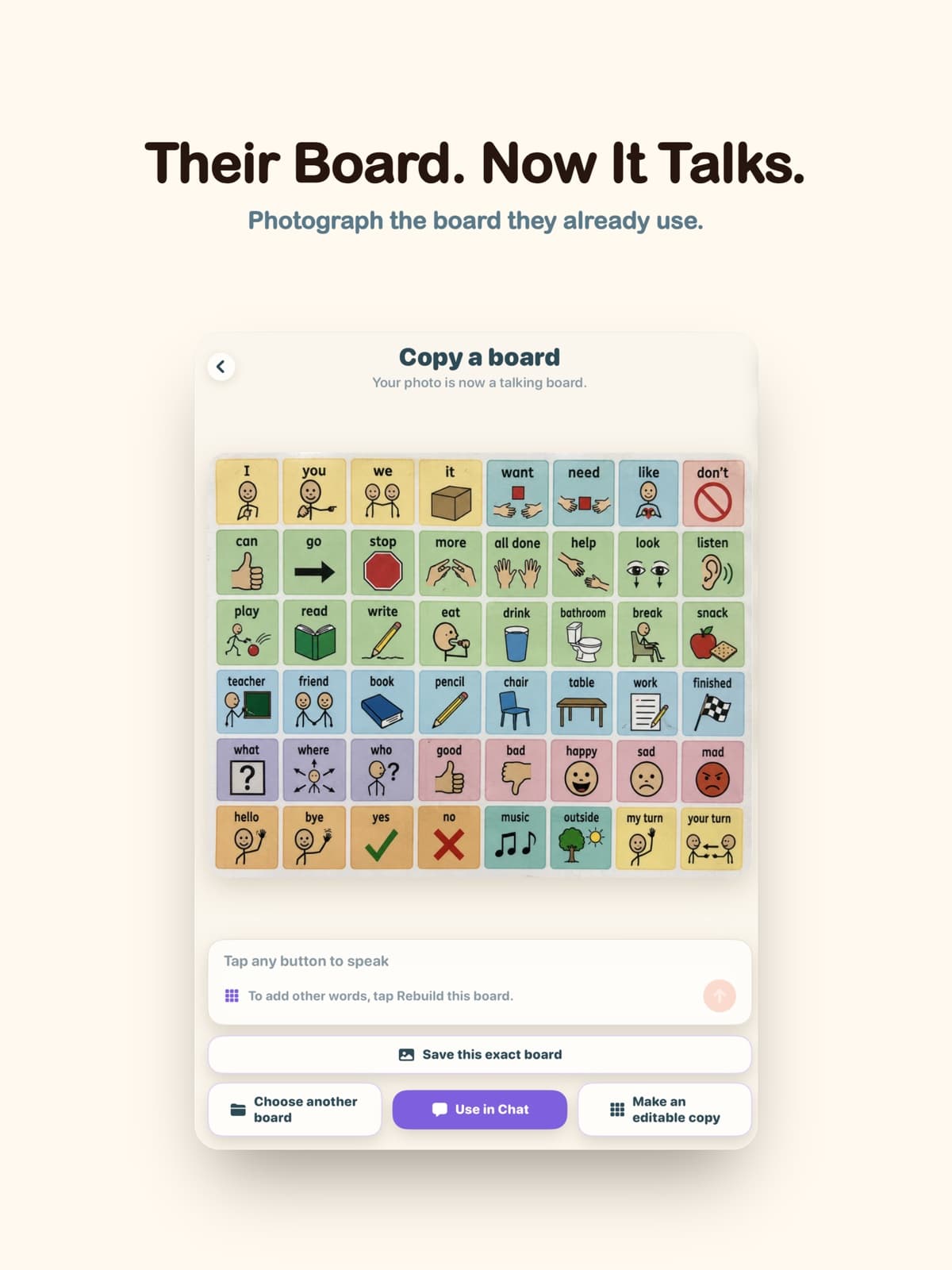
A photographed communication board turned into a talking board in InnerVoice
02

Let the message grow

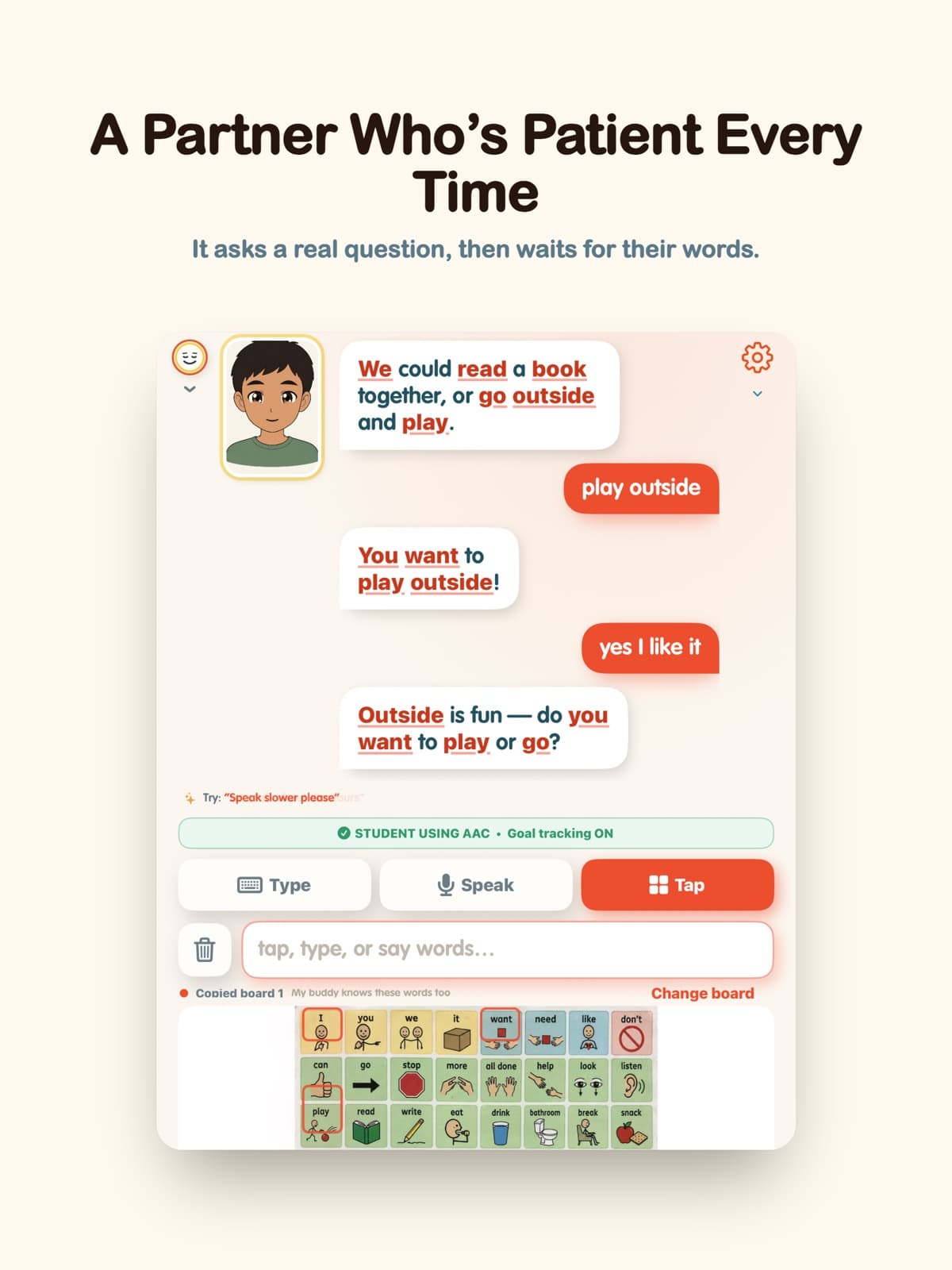
Tap board words, type, or speak. Tapped words accumulate instead of disappearing after one choice. Backspace, Clear, and explicit Send keep control with the communicator until the thought is ready.

An InnerVoice conversation built from complete AAC messages
03

Have a real conversation

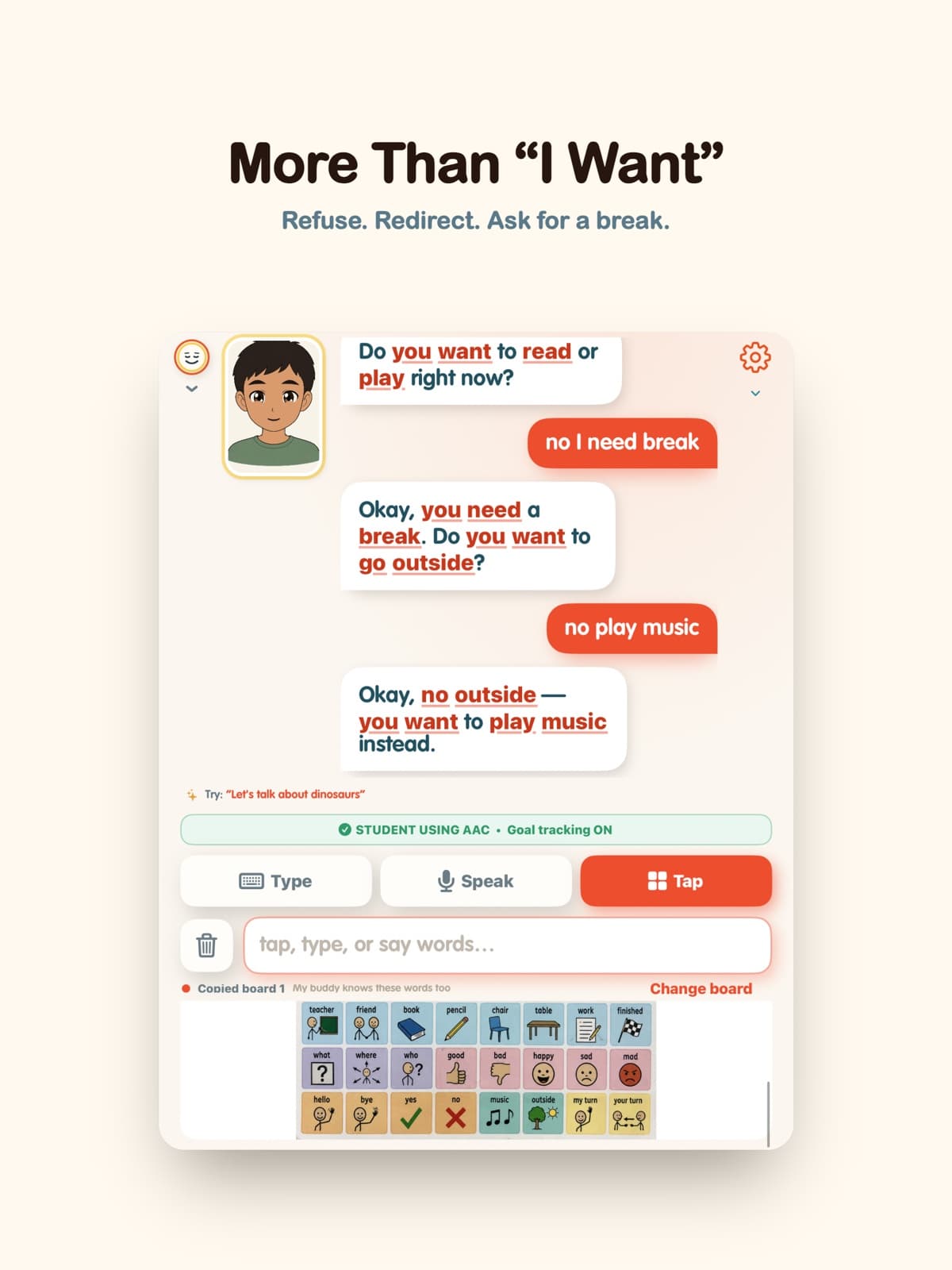
The avatar asks a real question, waits, speaks within the available board vocabulary, and follows the communicator's direction—including refusals, redirections, comments, and requests for a break.

InnerVoice avatar having a patient conversation through a copied board
04

Leave with useful evidence

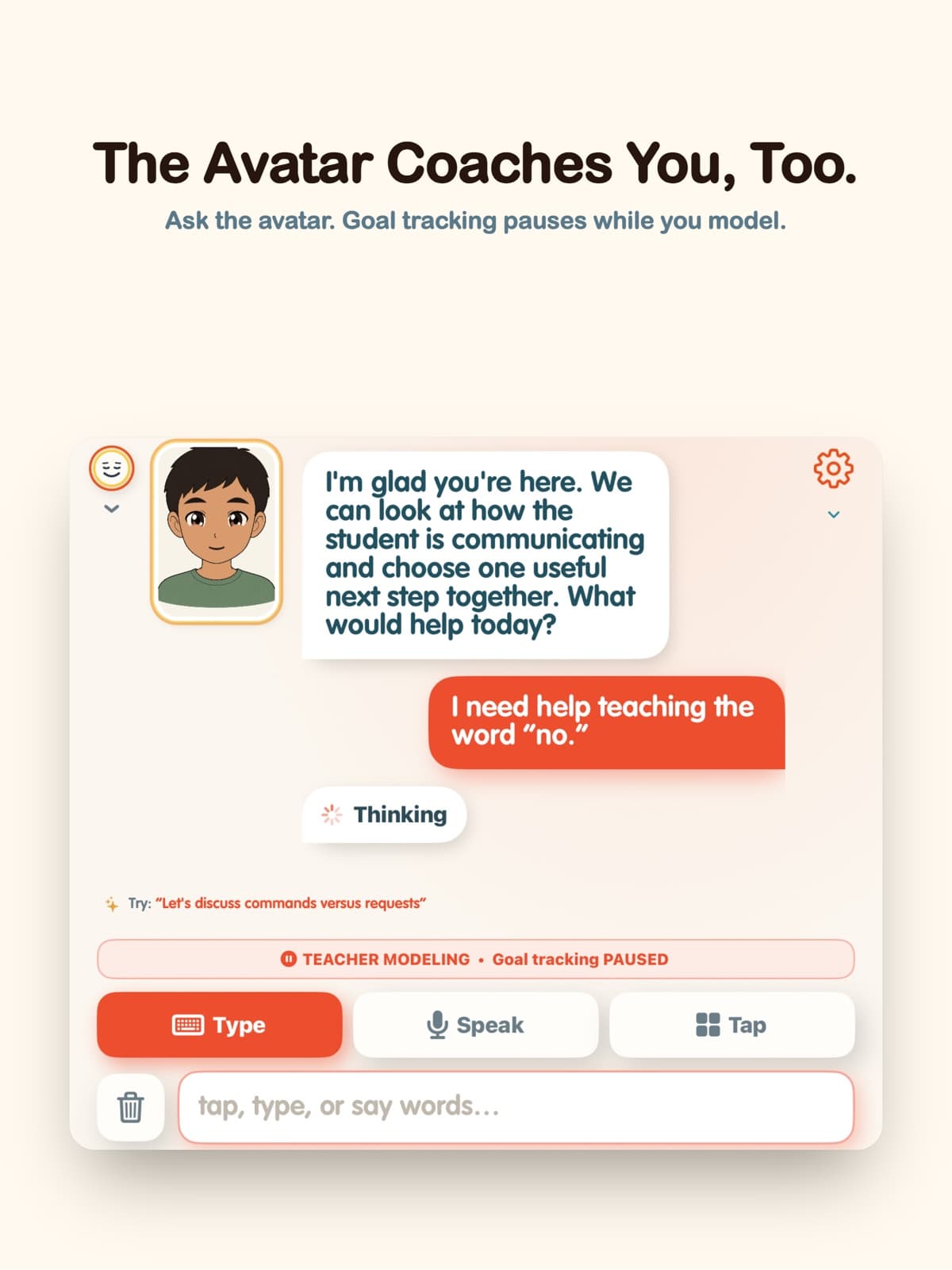
When goals are on, interactions with enough context become reviewable trials with a source and rationale; uncertain items stay out of the score. Teacher Modeling pauses tracking. Recorded turns enter the local Transcript Center for comparison, printing, or manual EASI export.

InnerVoice Teacher Modeling mode showing goal tracking paused
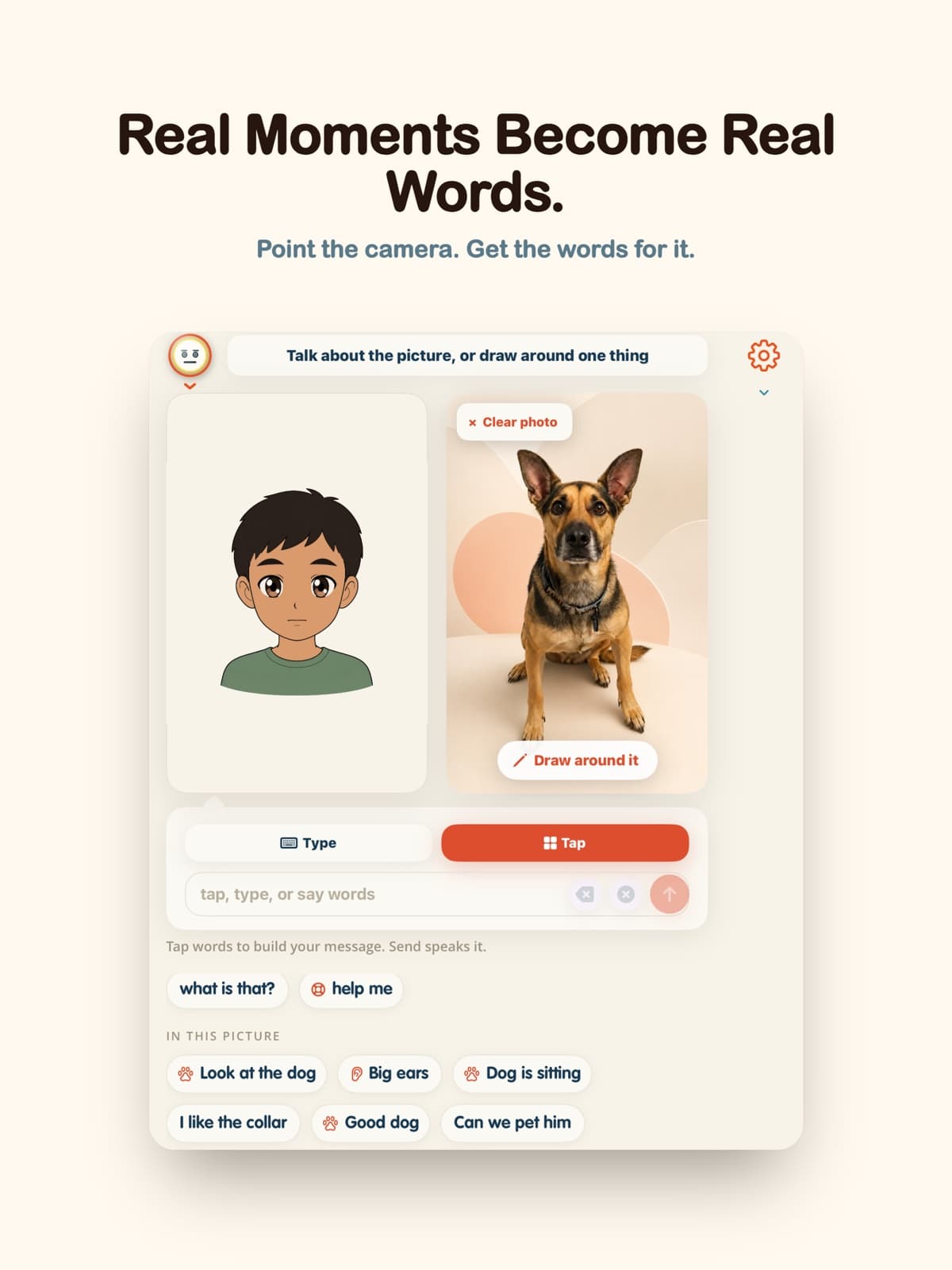
Scene Talk connecting words to a photo of a real dog

When the board does not have the moment

Point the camera. Get words that fit.

Scene Talk brings the playground, kitchen, classroom, pet, or unexpected moment into the AAC experience. Use the whole photo, tap or hold an item, or draw around one detail. InnerVoice offers up to eight short scene-specific phrases while stable core words remain available.

InnerVoice → EASI

The interaction becomes the sample.

InnerVoice keeps timestamped turns locally with speaker and tapped, typed, or spoken input. Compare two samples in the app, print through the iOS Share sheet, or use Export for EASI to create a plain-text file. Bring that file into EASI's existing-transcript workflow manually; nothing syncs automatically, and goal selection and clinical interpretation remain with the licensed clinician and educational team.

See the complete EASI workflow

The board they know is enough to begin.

View InnerVoice on the App Store